_RGB-Apr-30-2025-10-31-45-8330-AM.png?width=152&height=42&name=SHINING%203D%20DENTAL%20LOGO%20(OS)_RGB-Apr-30-2025-10-31-45-8330-AM.png "SHINING 3D DENTAL LOGO")

.jpg "SHINING 3D DENTAL Logo")
Case information
Tooth position: Mandibular edentulous jaw & implant #46, #44, #42, #32, #34, #36.
Implant system: #32. #42 Nobel, #34. #36. #44. #46 Dentium
Restoration type: Toronto bridge
Material: Titanium
Superstructure type: 34-44 ceramic crowns, 35-36, 45-46 Solidex crowns
Color: #32-42 A2, #33-36 & #43-46 A3
Case source: Shenzhen Jiahong Dental Medical Co. LTD
Workflow
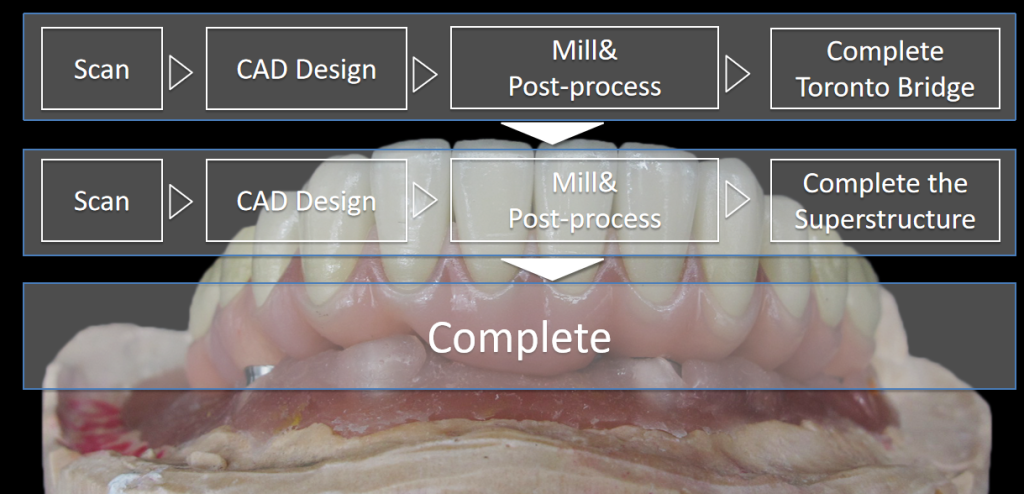
Step 1. Make Toronto Bridge
1.1 Scan with AutoScan-DS-MIX
Create an order in the scan software.
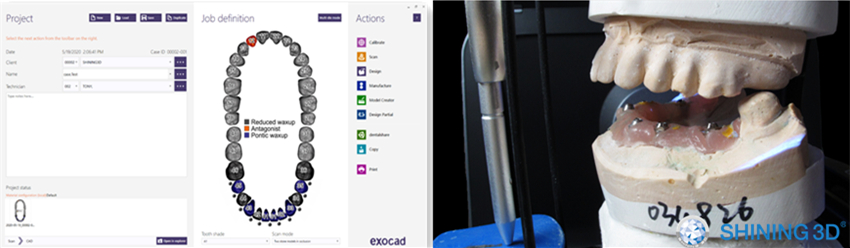
Scan the model with AutoScan-DS-MIX dental 3D scanner.
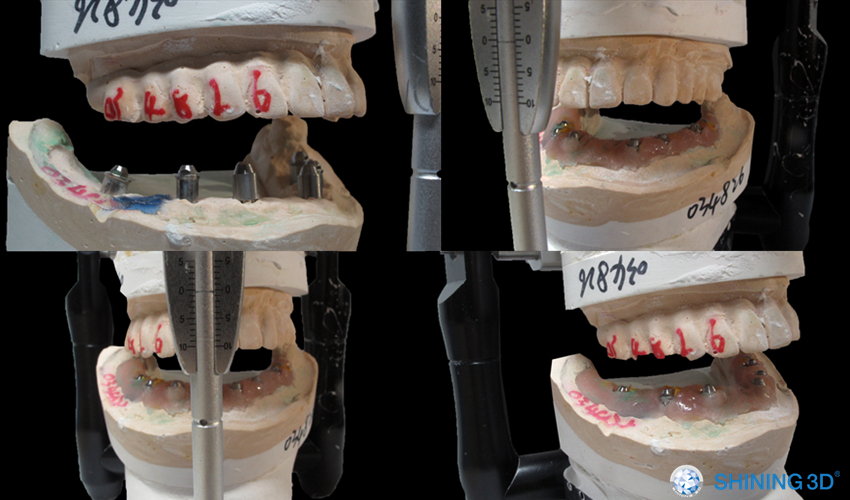
Due to the large angles of 32 and 34, the scan bodies can be collided with each other. So install the scan body of 34 first and scan. Then replace it and install scan body of 32 and get all the data with multiple add-scan. (See pictures below.)
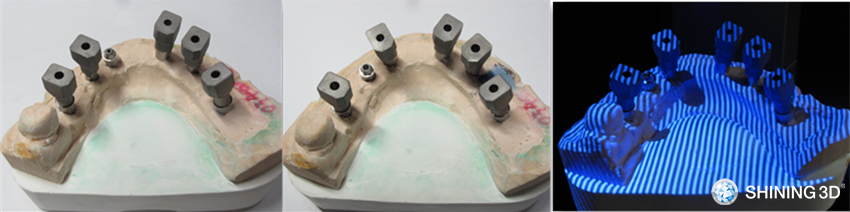
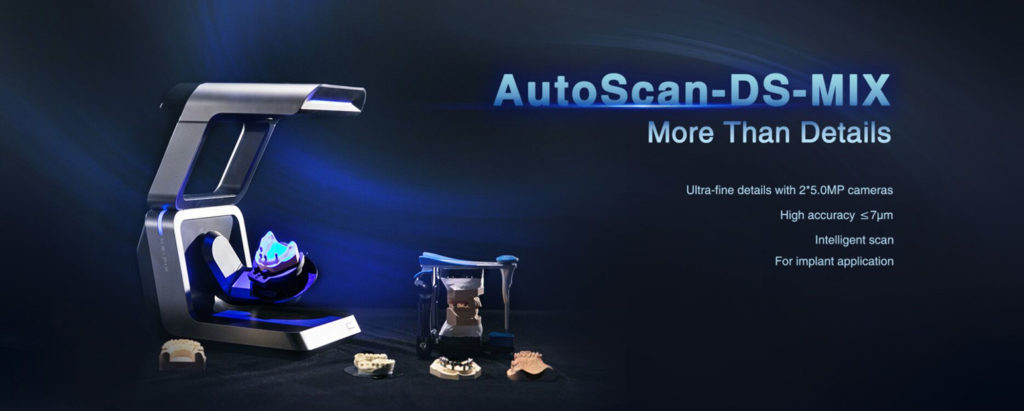
AutoScan-DS-MIX’s exceptional scan performance, featuring 2*5.0MP high resolution and ≤7μm high accuracy, guarantees reliable scan result, which will largely improve the design & production efficiency.
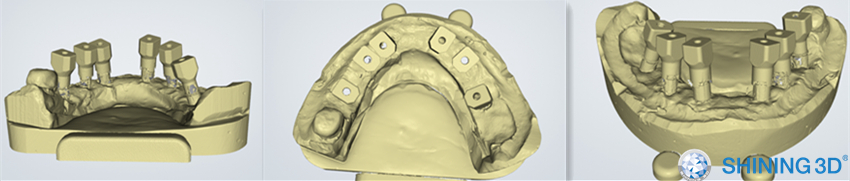
1.2 Design in exocad
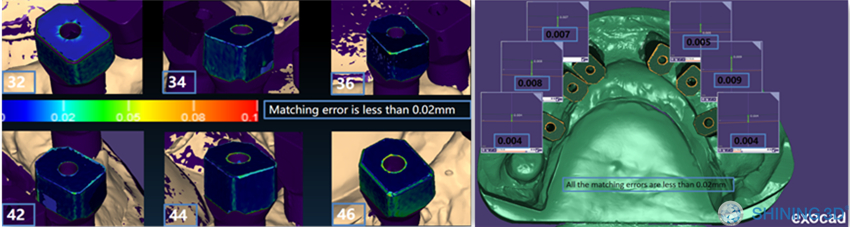
It can be seen from the color bar the matching error is less than 0.02mm.
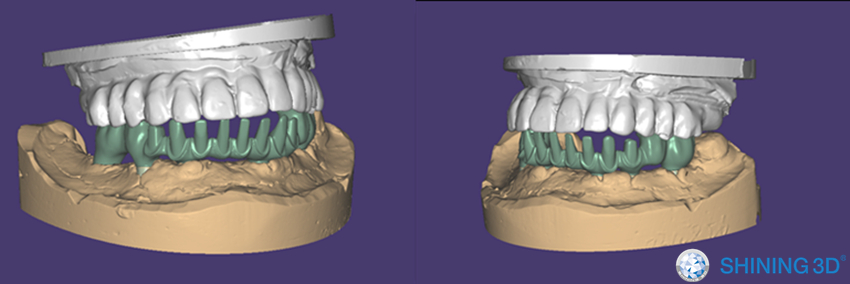
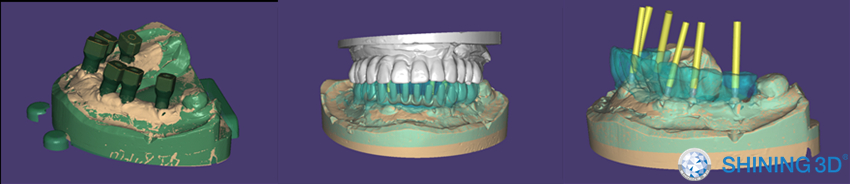
Design the Toronto bridge in exocad.
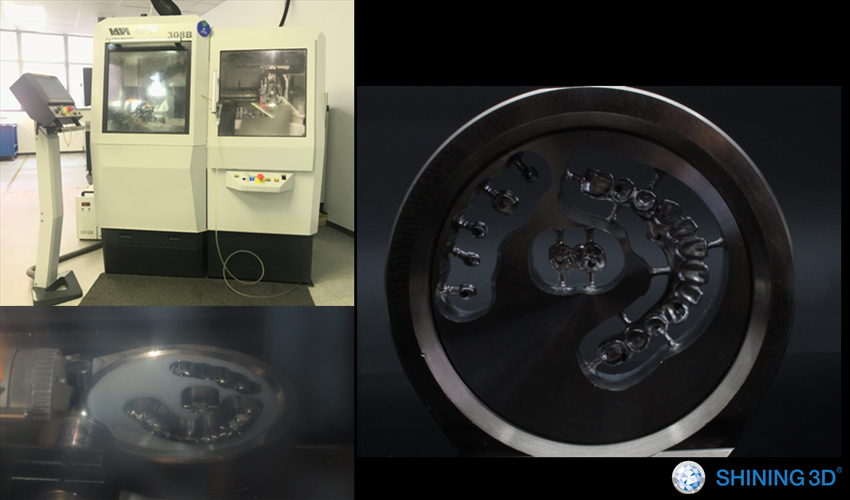
1.3 Milling
1.4 Complete Toronto Bridge
Based on ideal scan result with excellent CAD designing and milling, the bridge fits perfect on the model. The picture shows the fit situation with only one screw assembled.
-
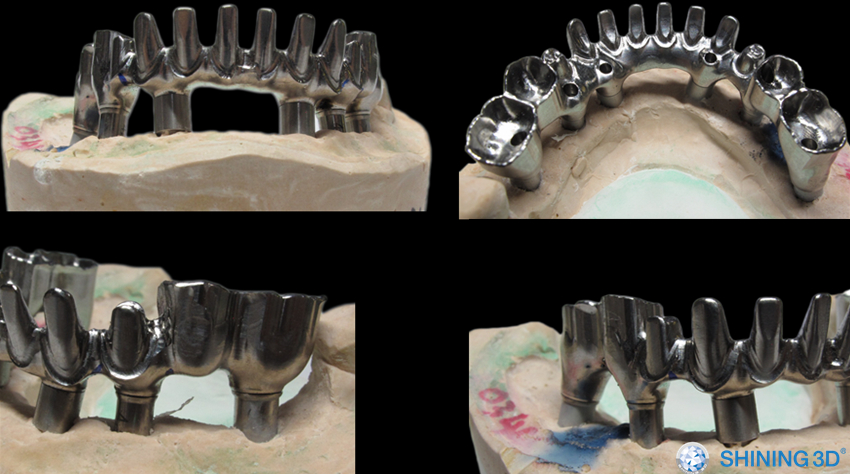
3D Scan to Create a Toronto Bridge with Superstructures
1.5 Post-processing of Bridge
Step 2. Make the Superstructure
2.1 Create an order for superstructures
#34–#44 are PFM crowns.
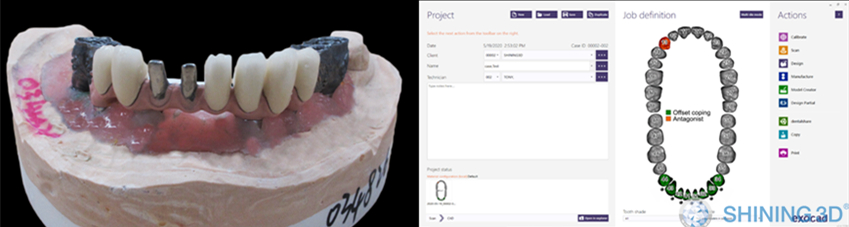
2.2 Scan Toronto Bridge
Scanning with AutoScan-DS-MIX, all the details were perfectly kept.
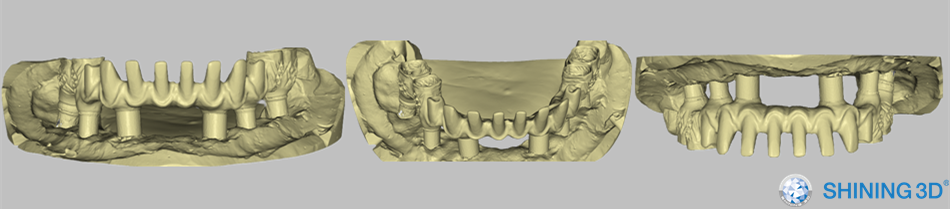
2.3 CAD Design with exocad
Design copings from #34-#44
2.4 Post-processing of Superstructures
Printing & grinding for copings
Ceramic building & grinding
Complete solidex
Complete gingiva
In this case 34-44 were ceramic crowns, 35-36, 45-46 were solidex & gingiva.
3. Completion
 Using 3D Scanning to Create a Toronto Bridge with Superstructures
The AutoScan-DS-MIX high-end dental lab 3D scanner developed by SHINING 3D convinces users with its open design and modular structure featuring fine details, high accuracy as well as high efficiency fulfilling users’ demands of a wide range of applications including but not limited to crowns & bridges, abutments, bars, etc.
Share this on Social Media: